Case study cover

Northrop Grumman — Enterprise Case Studiespace Standardization (SharePoint Under Constraint)

Standardized SharePoint workflow patterns inside a regulated environment—improving speed and clarity without compromising security controls, maintainability, or upgrade paths.

Framing: The goal wasn’t visual polish—it was standardizing workflows within a constrained SharePoint environment, improving efficiency while preserving security and platform integrity.

Context / Operational Risk: Fragmented SharePoint experiences slowed document workflows, increased user errors, and limited productivity in a highly regulated environment. Without consistent patterns, usability changes risked breaking security controls, maintainability, or upgrade paths (internal).

Mandate: Establish a consistent enterprise Case Studiespace standard—improving navigation, reducing workflow friction, and increasing usability while staying aligned to security protocols, brand requirements, and legacy platform constraints (internal).

Role: UI/UX + Front-End Implementation Support — defined reusable patterns, built component standards, and partnered with engineering/security stakeholders to de-risk changes inside a constrained SharePoint environment (internal).

  • Reusable UX system under constraints: standardized components and interaction patterns without breaking legacy limitations.
  • Security + maintainability first: ensured improvements preserved compliance and upgrade paths.
  • Controlled modernization: validated changes iteratively to reduce risk in a regulated environment.
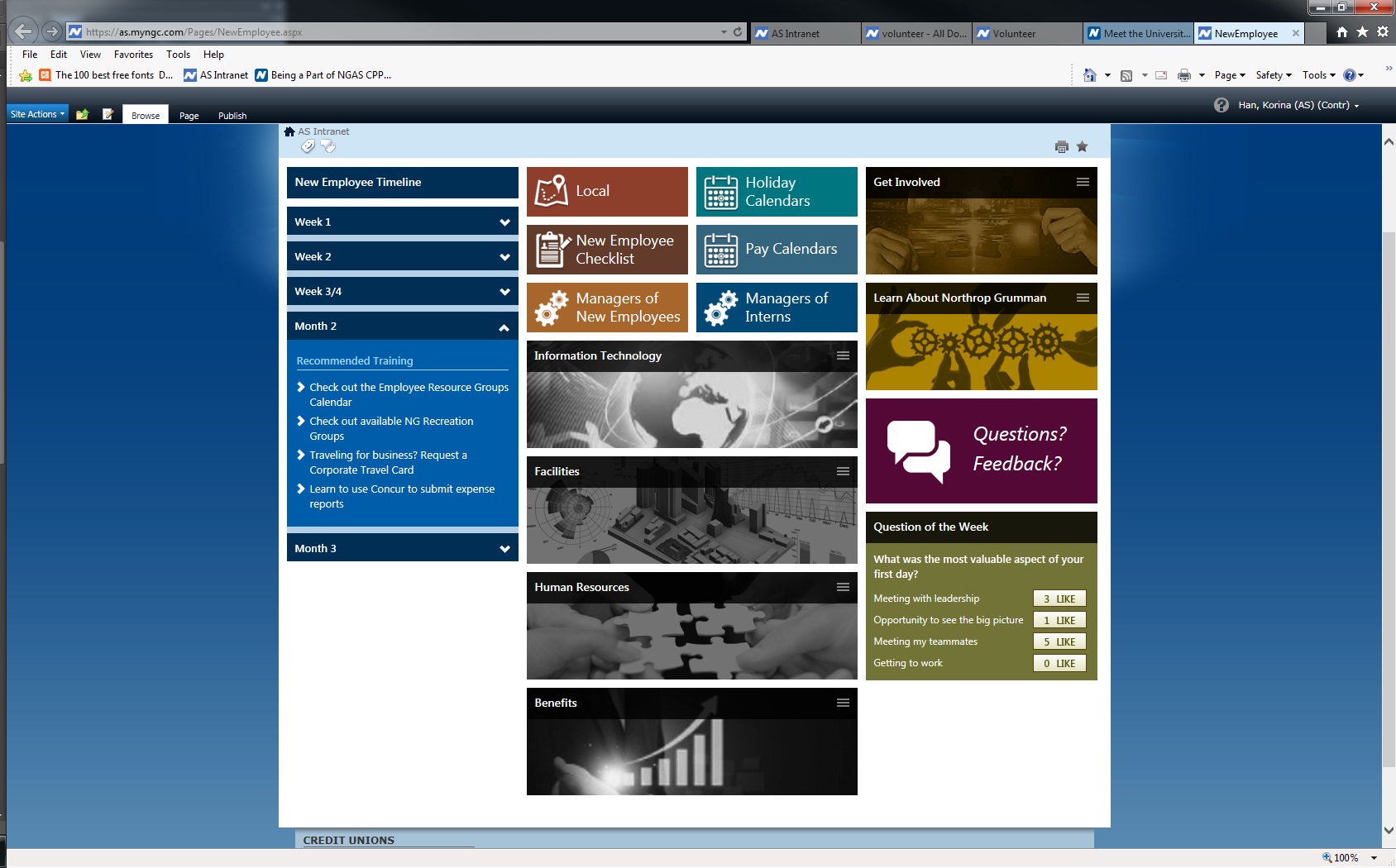
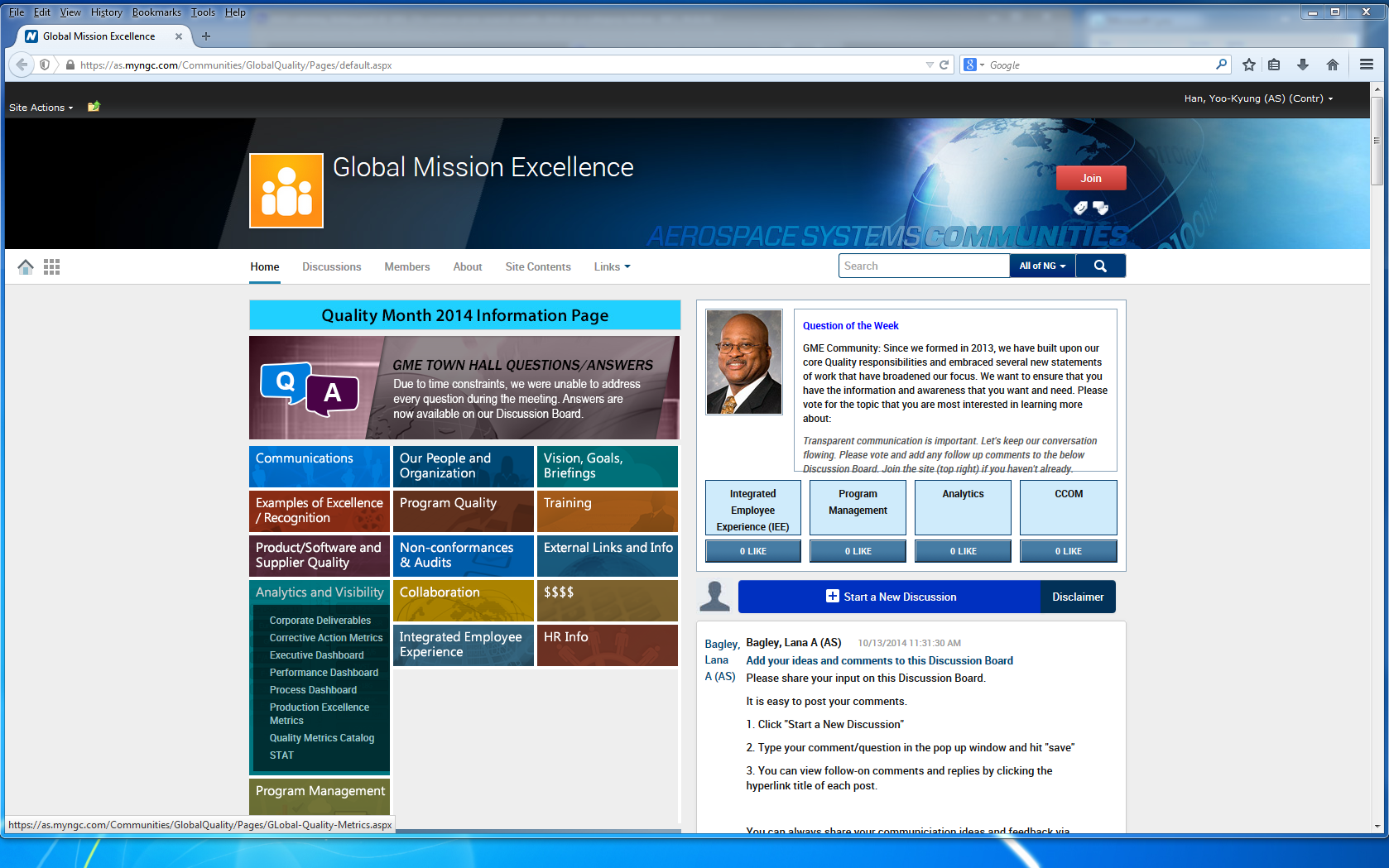
How leadership shows up: workflow speed, fewer errors, higher adoption—delivered safely within security and platform constraints (internal).

  • Workflow efficiency: reduced friction in document discovery, approvals, and collaboration via navigation + quick access improvements (internal).
  • Performance: improved perceived speed by reducing full page reloads using AJAX-style updates (internal).
  • Quality: reduced user errors through real-time form validation patterns (internal).
  • Accessibility: improved readability with contrast and dark mode approach (internal).
  • Maintainability: standardized a reusable component set to reduce future UX drift (internal).


Challenges

  • Cluttered interface made key sections hard to find (internal).
  • Document management and collaboration workflows were inefficient (internal).
  • Legacy ASPX constraints limited modern UX flexibility (internal).
  • Frequent reloads slowed task completion (internal).
  • Accessibility gaps (contrast, no dark mode) (internal).

Objectives

  • Modernize UI while maintaining security and brand alignment (internal).
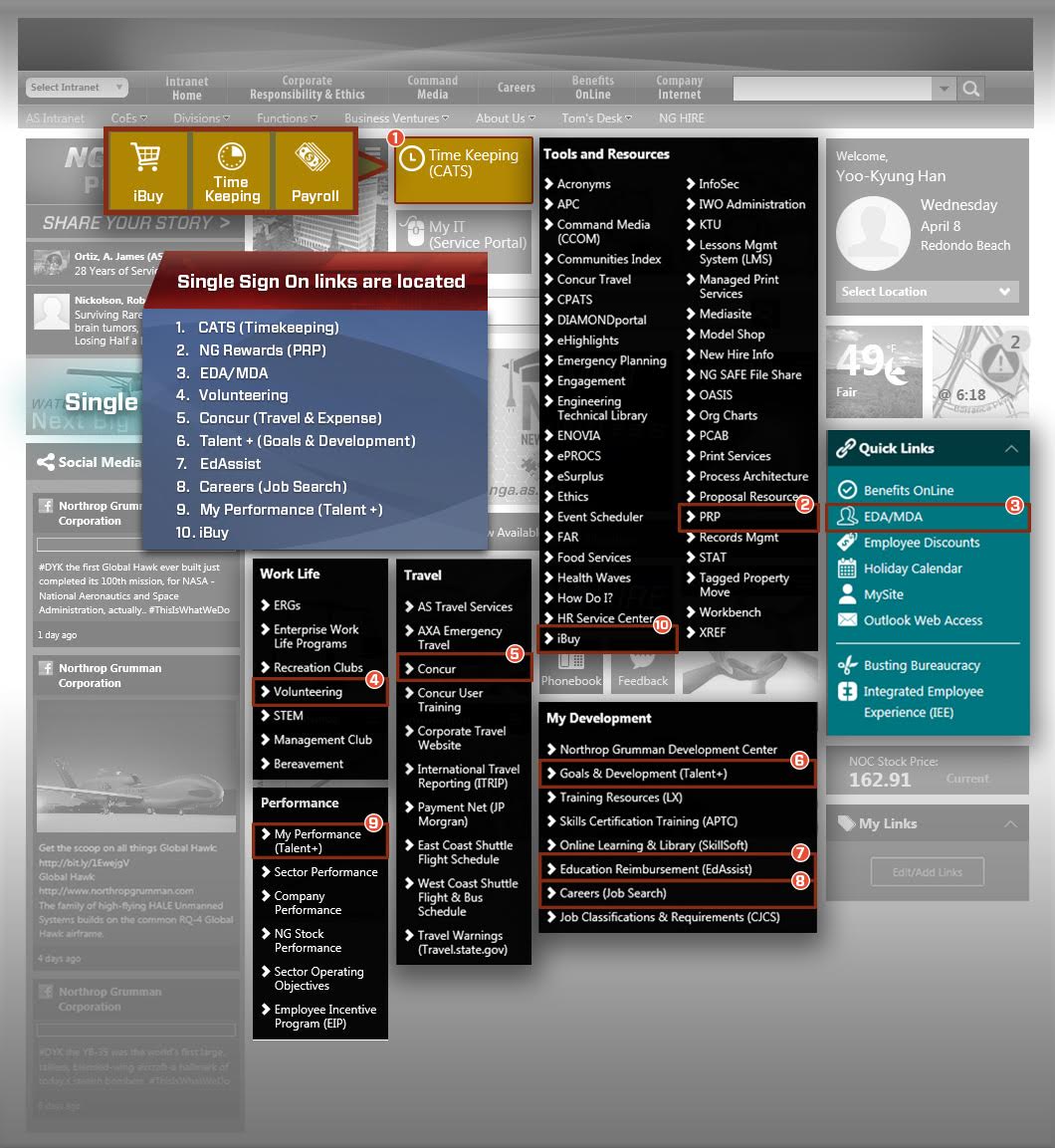
  • Improve navigation via simplified sidebar + quick links (internal).
  • Reduce friction in approvals and collaboration flows (internal).
  • Enhance accessibility (dark mode, improved readability) (internal).
  • Standardize reusable UI components for scalability (internal).

Leadership Moves

  • Introduced a component-based design system for SharePoint—standardizing forms, tables, navigation, and interaction patterns across workflows to reduce inconsistency and enable scalable reuse (internal).
  • Performance-first UX: reduced full reloads and added interaction patterns that improved flow without risking upgrades (internal).
  • De-risked change: applied A/B testing and iterative reviews to validate improvements before wider rollout (internal).


Design intent: Create a consistent enterprise Case Studiespace that improves workflow speed and clarity, while staying compatible with SharePoint’s legacy constraints and security requirements.

Visual System

  • Clarity-first layout: simplified navigation and predictable hierarchy to reduce cognitive load.
  • Brand-aligned styling: professional, restrained visual language appropriate for regulated internal use.
  • Readable density: spacing and typography tuned for document-heavy workflows.

Component-Based Design System

  • Reusable components: standardized forms, tables, alerts, and navigation patterns.
  • Consistent interaction rules: common states and behaviors across pages to reduce errors.
  • Scalable maintenance: reduced UI drift by using repeatable standards instead of one-off pages.

Performance as UX

  • Reduced reload friction: interaction patterns aimed at smoother task completion.
  • Faster perceived speed: improved flow by minimizing disruptive page behavior.

Accessibility & Readability

  • Improved contrast/readability: better legibility for dense enterprise content.
  • Optional dark mode approach: supports readability needs in long-session usage.

Constraint-aware design principle: Improve speed and clarity without breaking security, governance, or system integrity—because in regulated environments, stability is part of the UX.

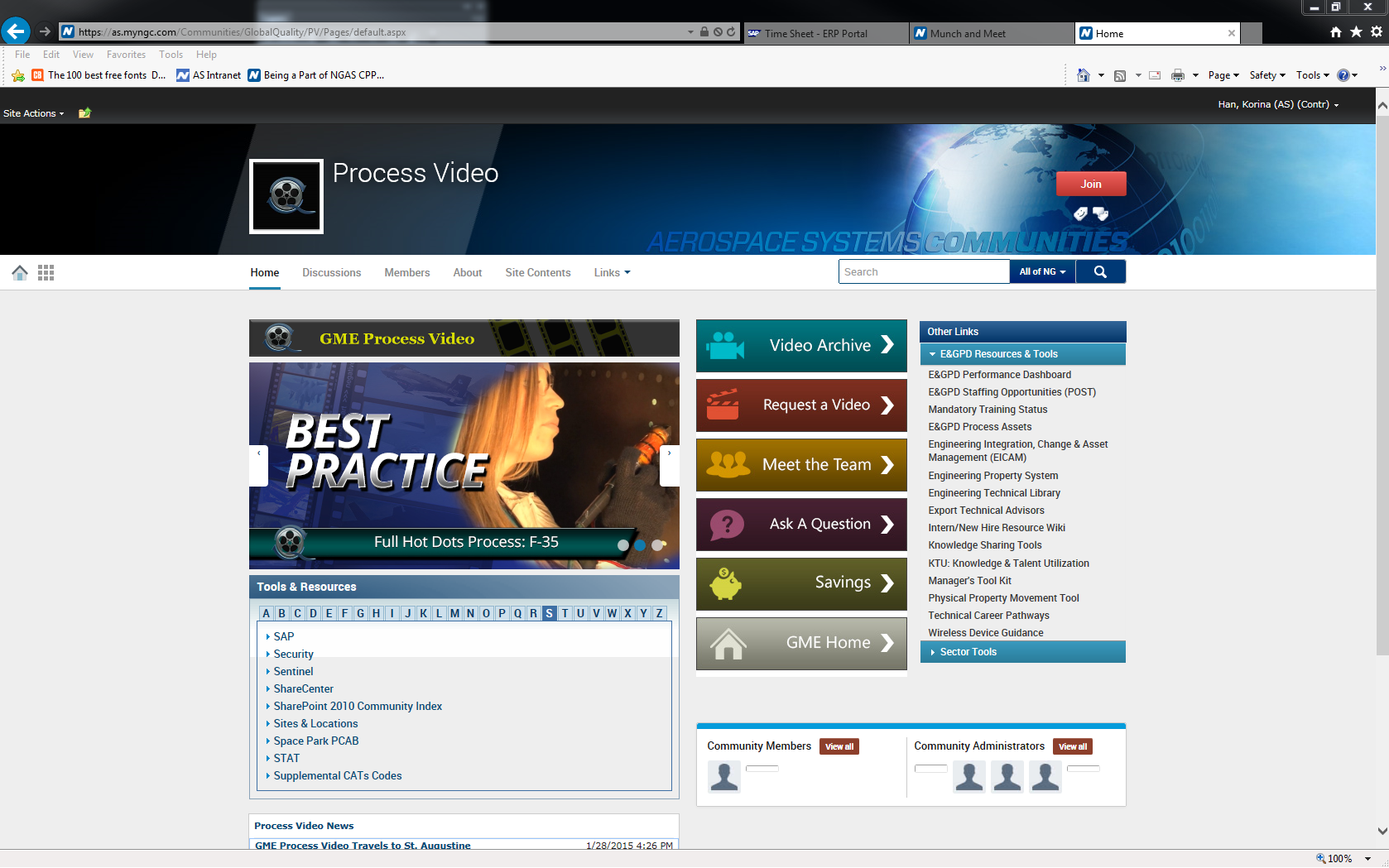
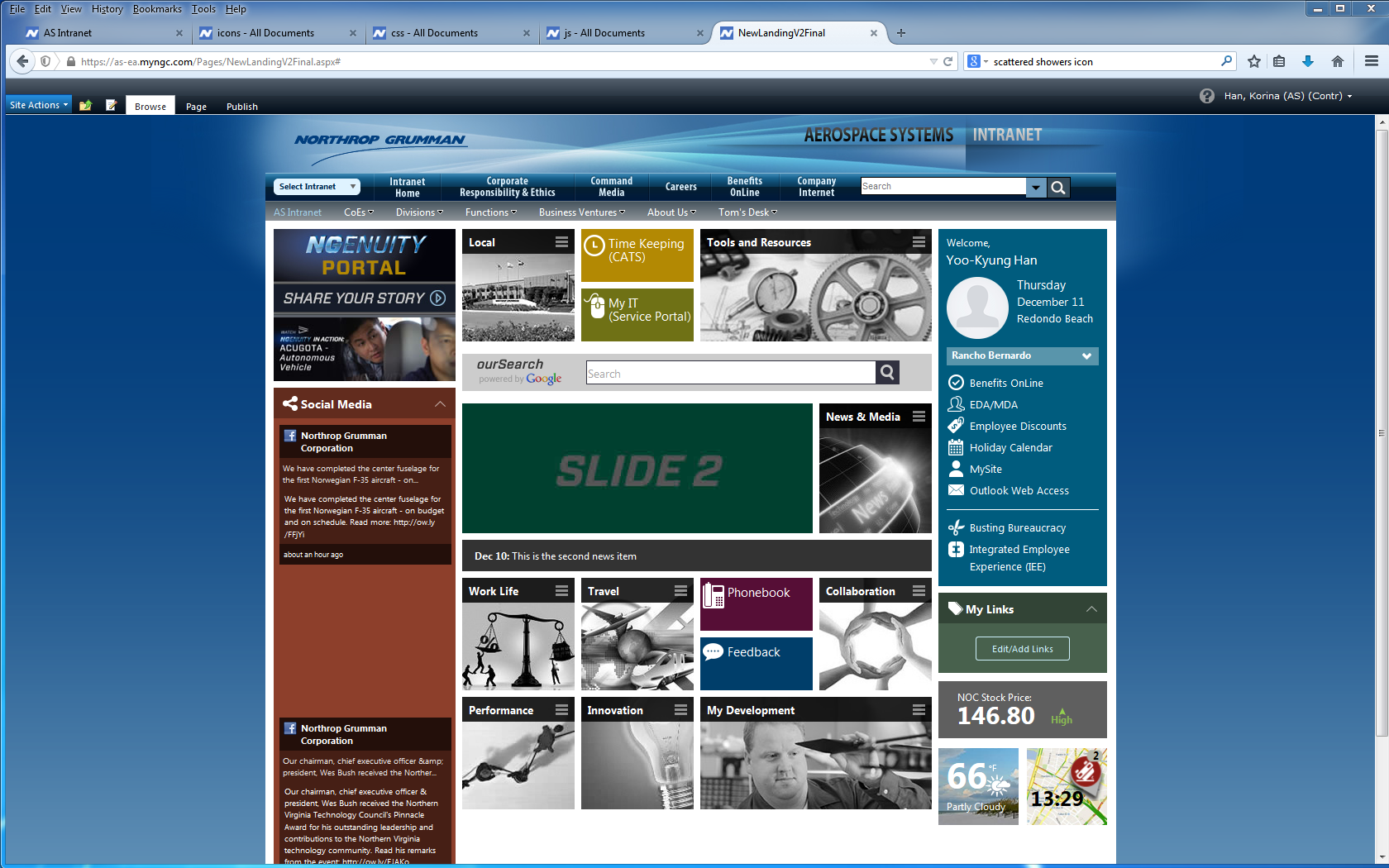
Northrop UI 0
Northrop UI 1
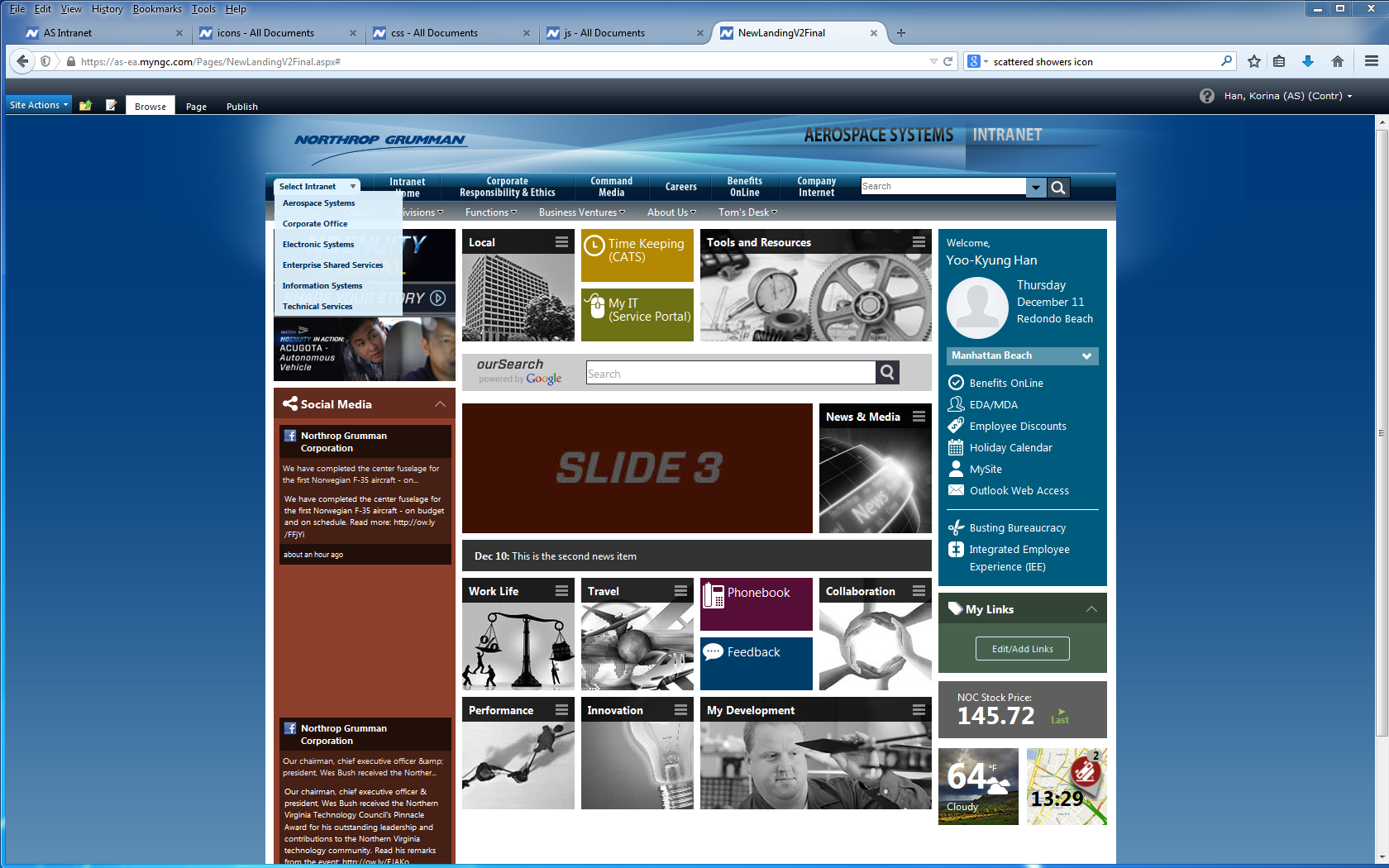
Northrop UI 2
Northrop UI 3
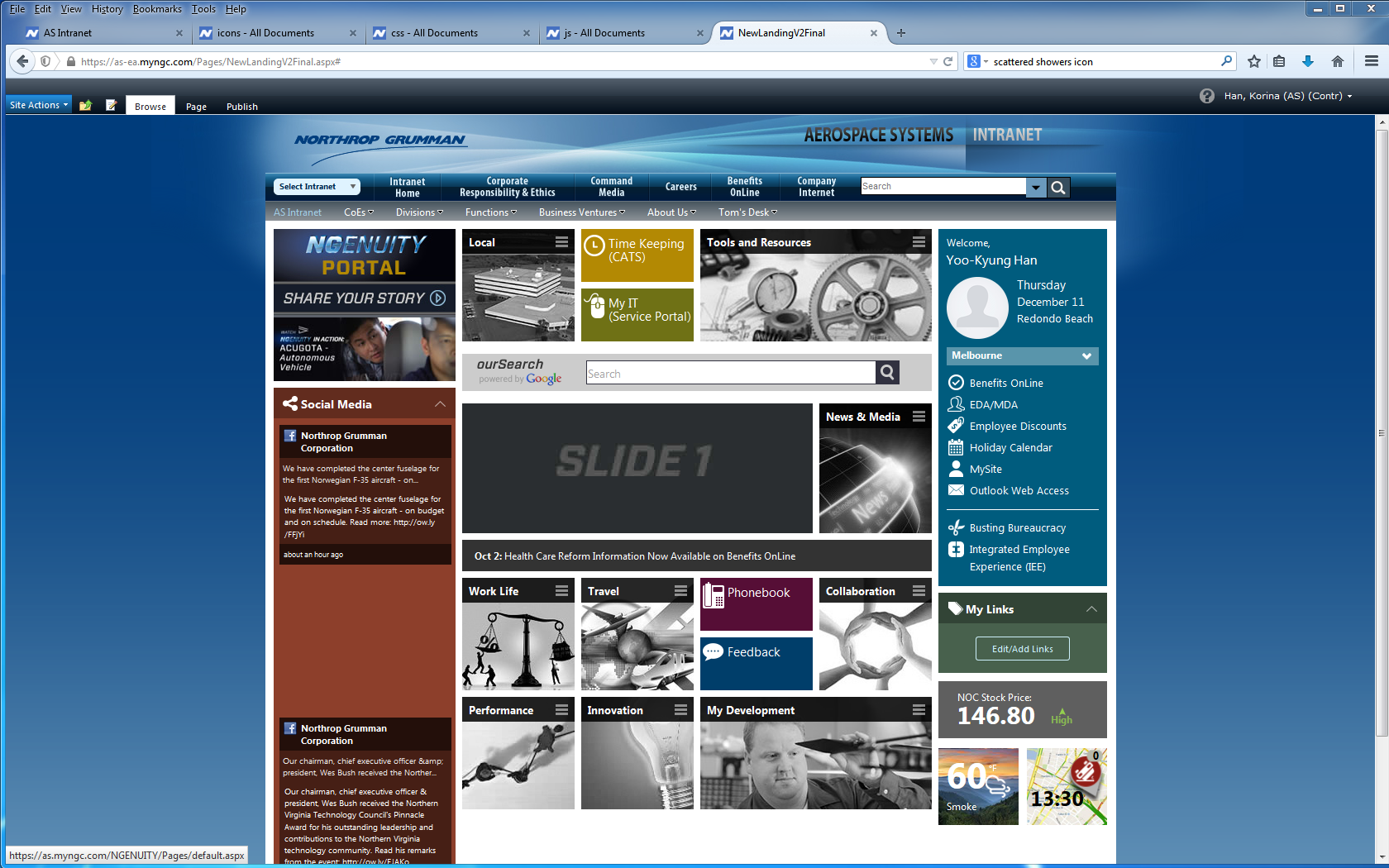
Northrop UI 4
Northrop UI 5
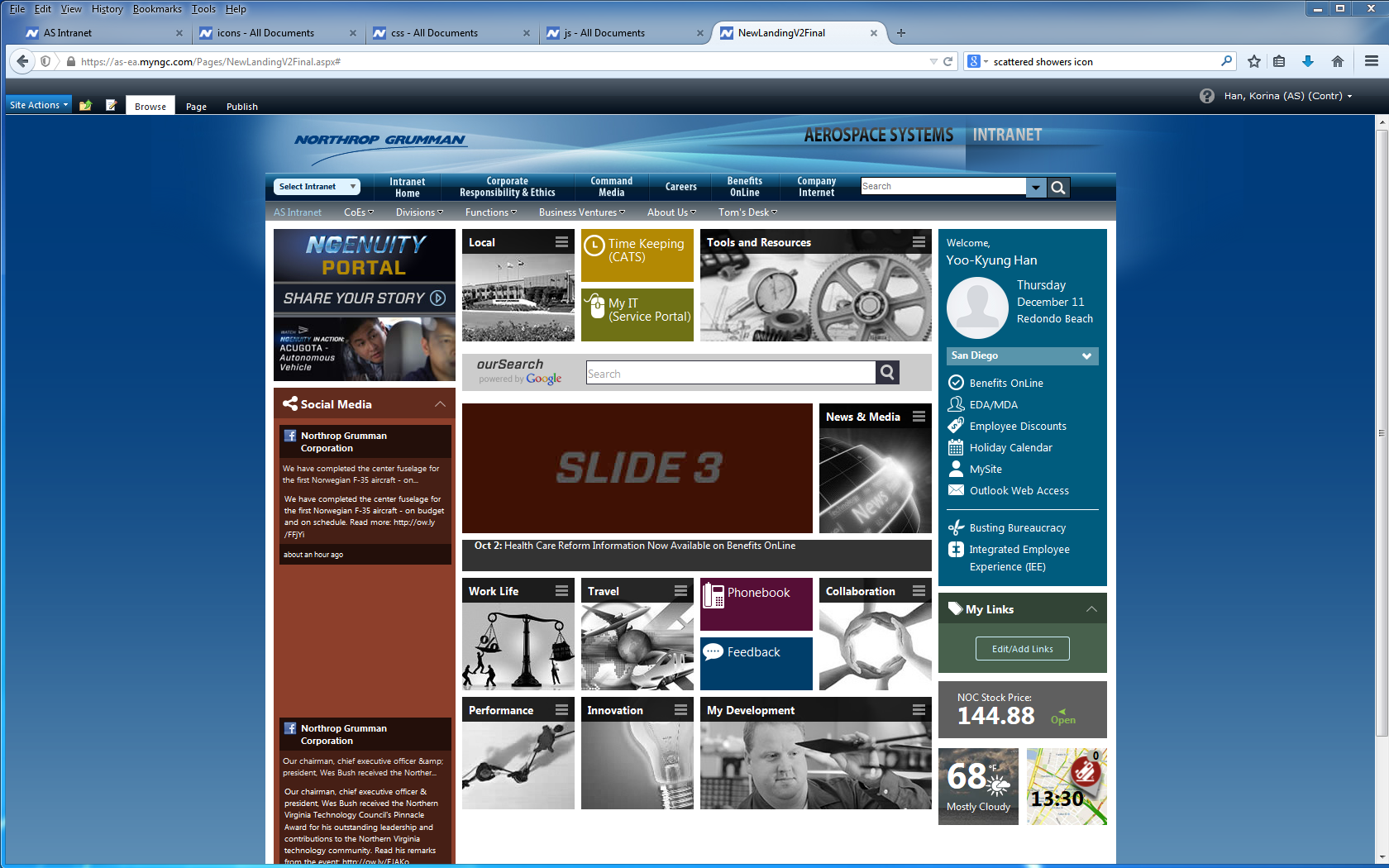
Northrop UI 6
Northrop UI overlay


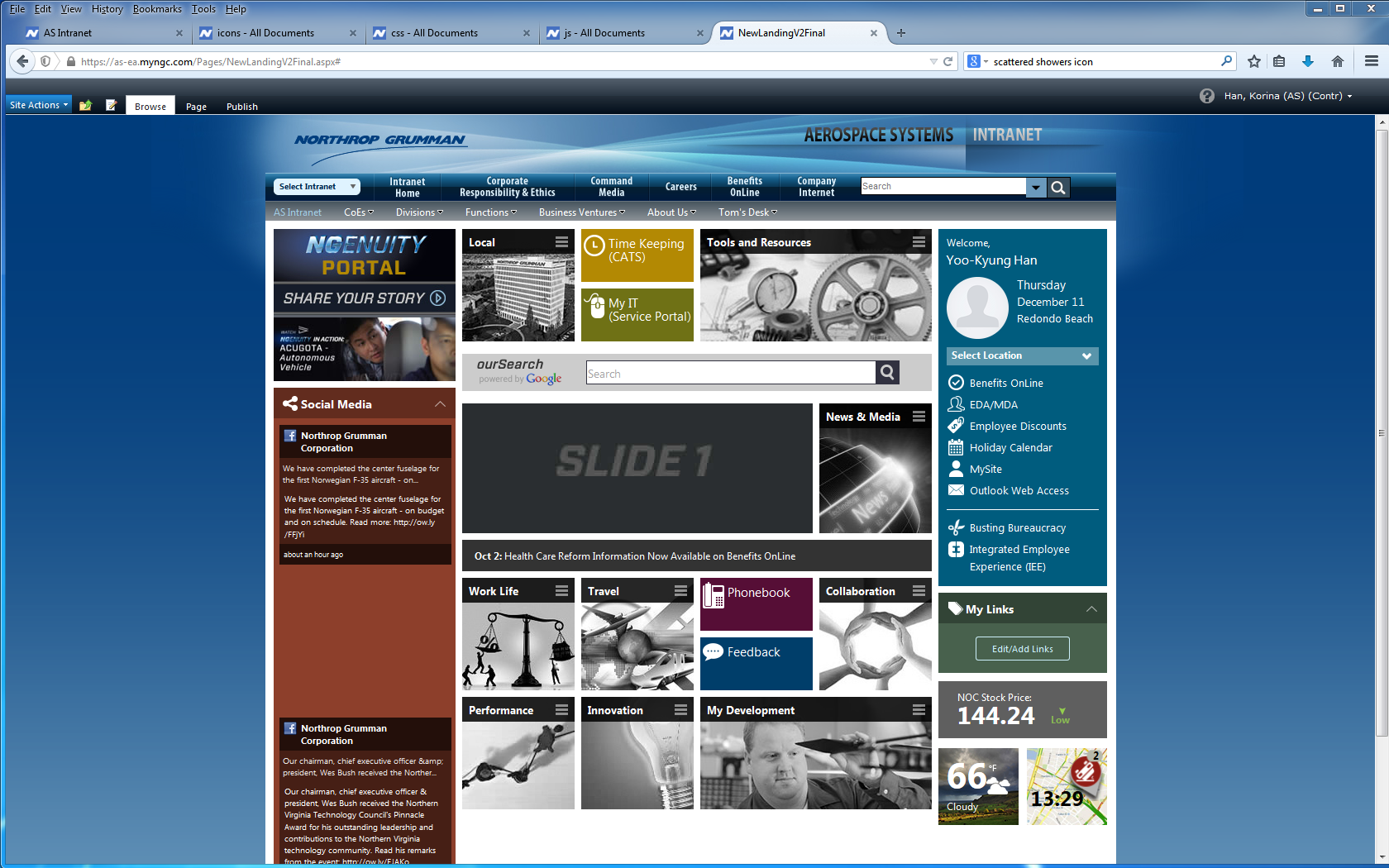
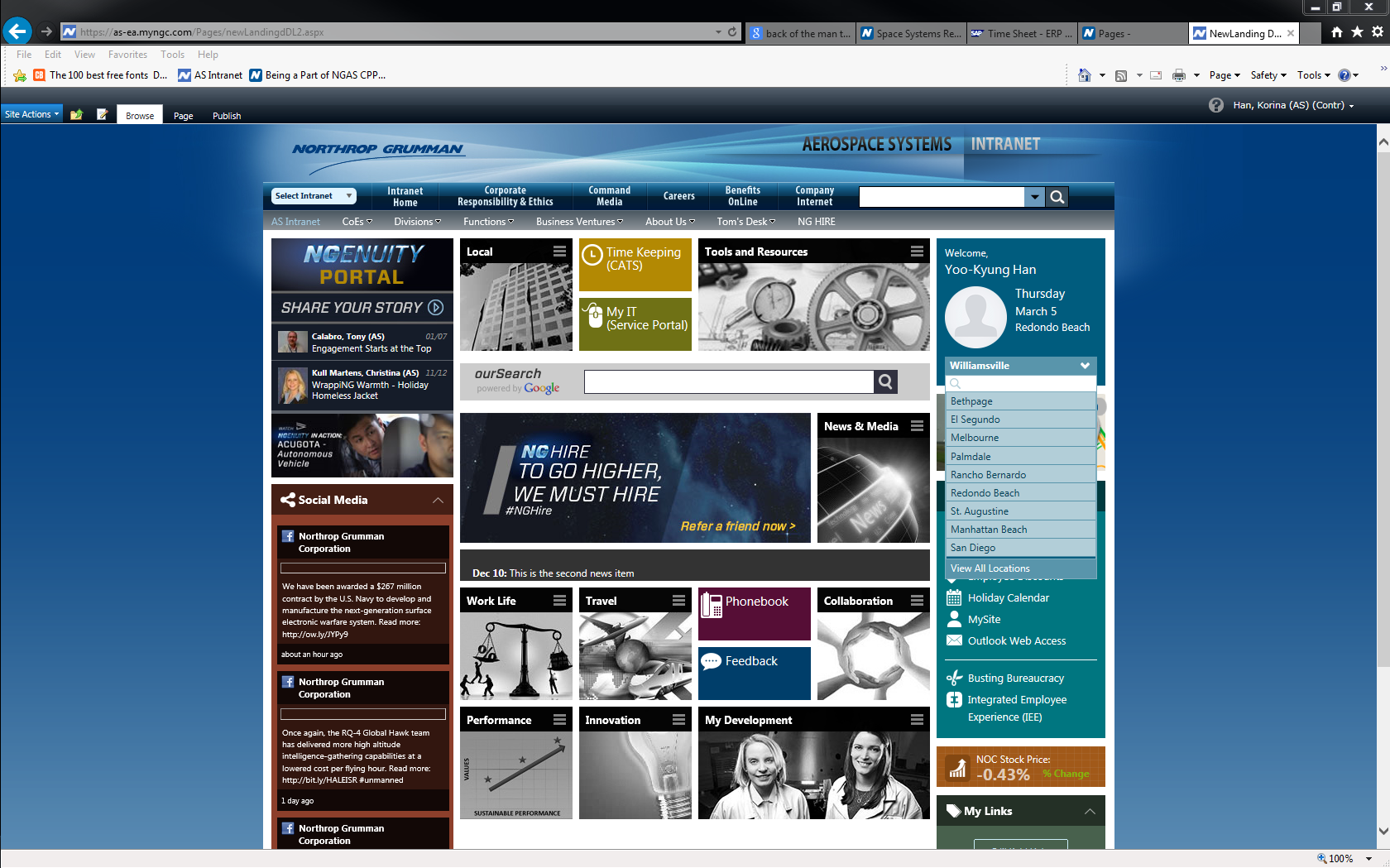
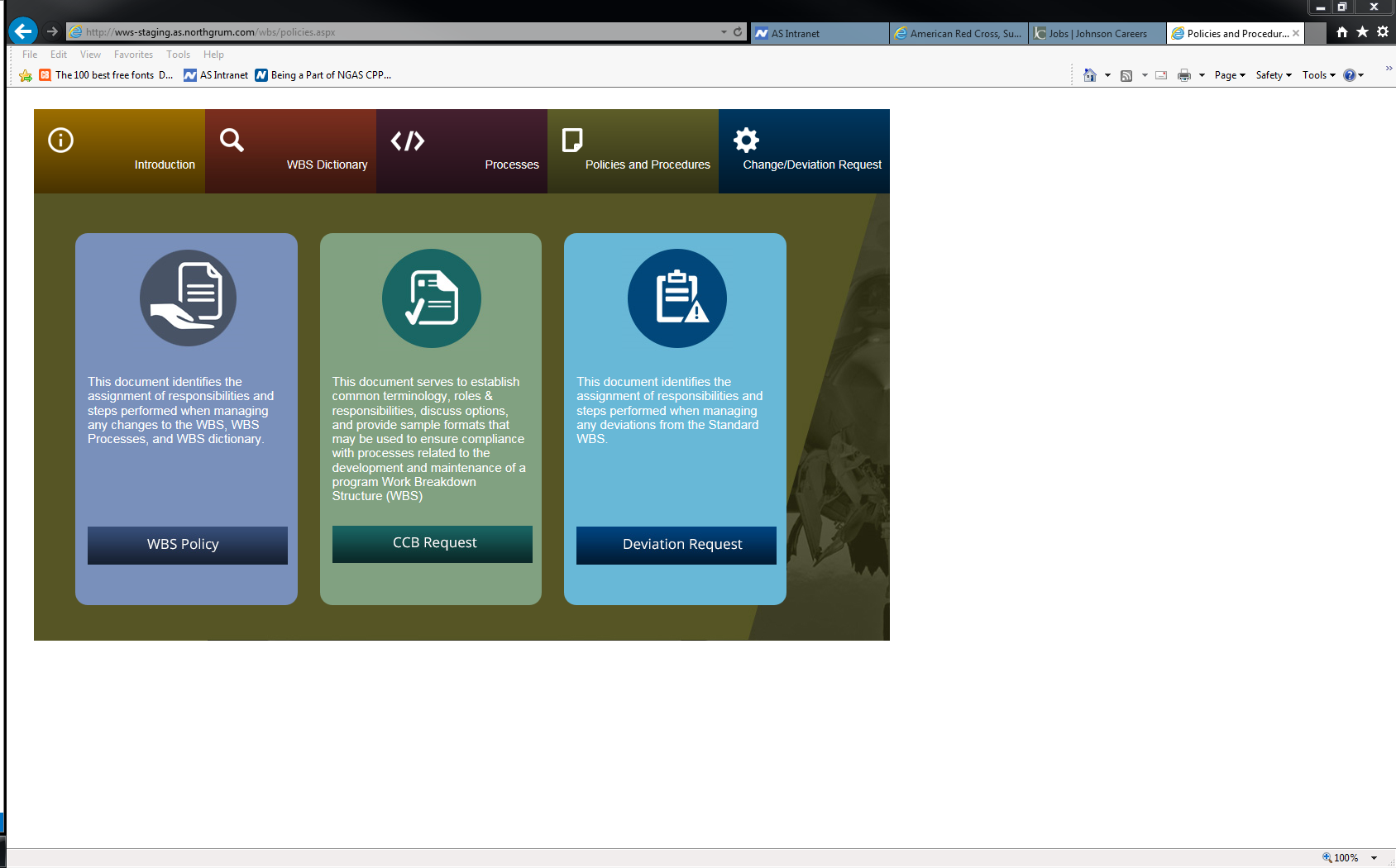
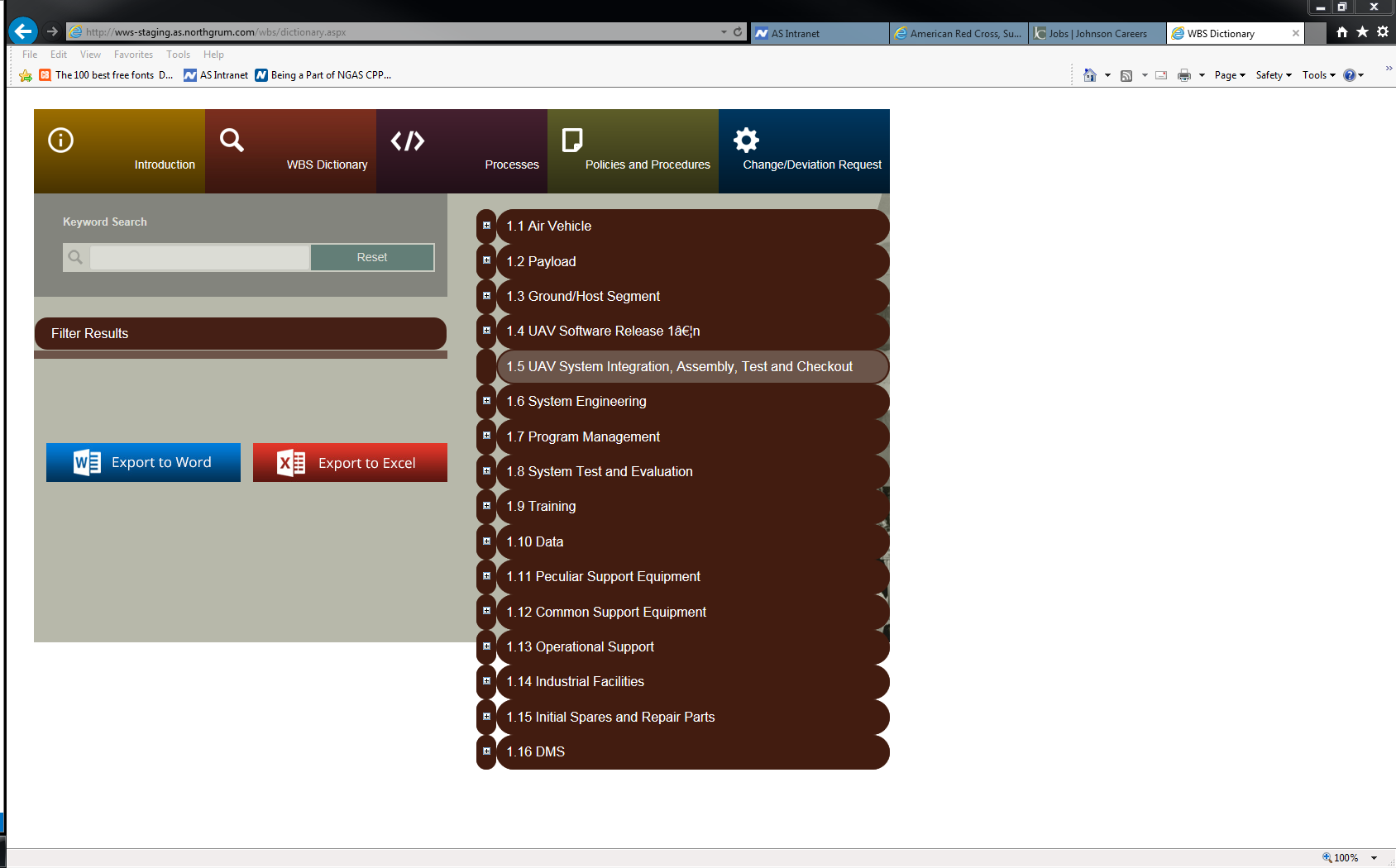
  • Navigation modernization: persistent left sidebar + quick access patterns for high-frequency tasks.
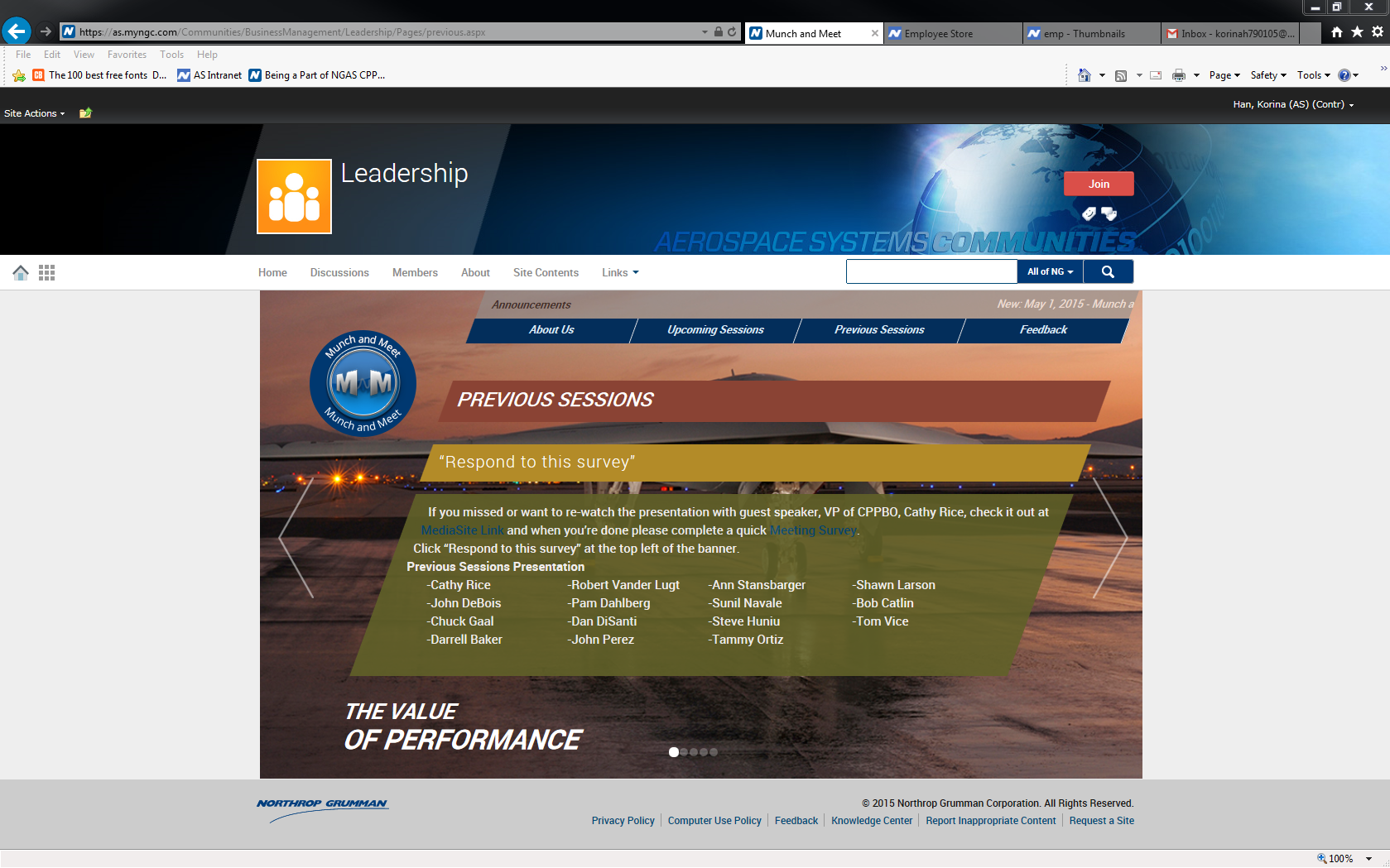
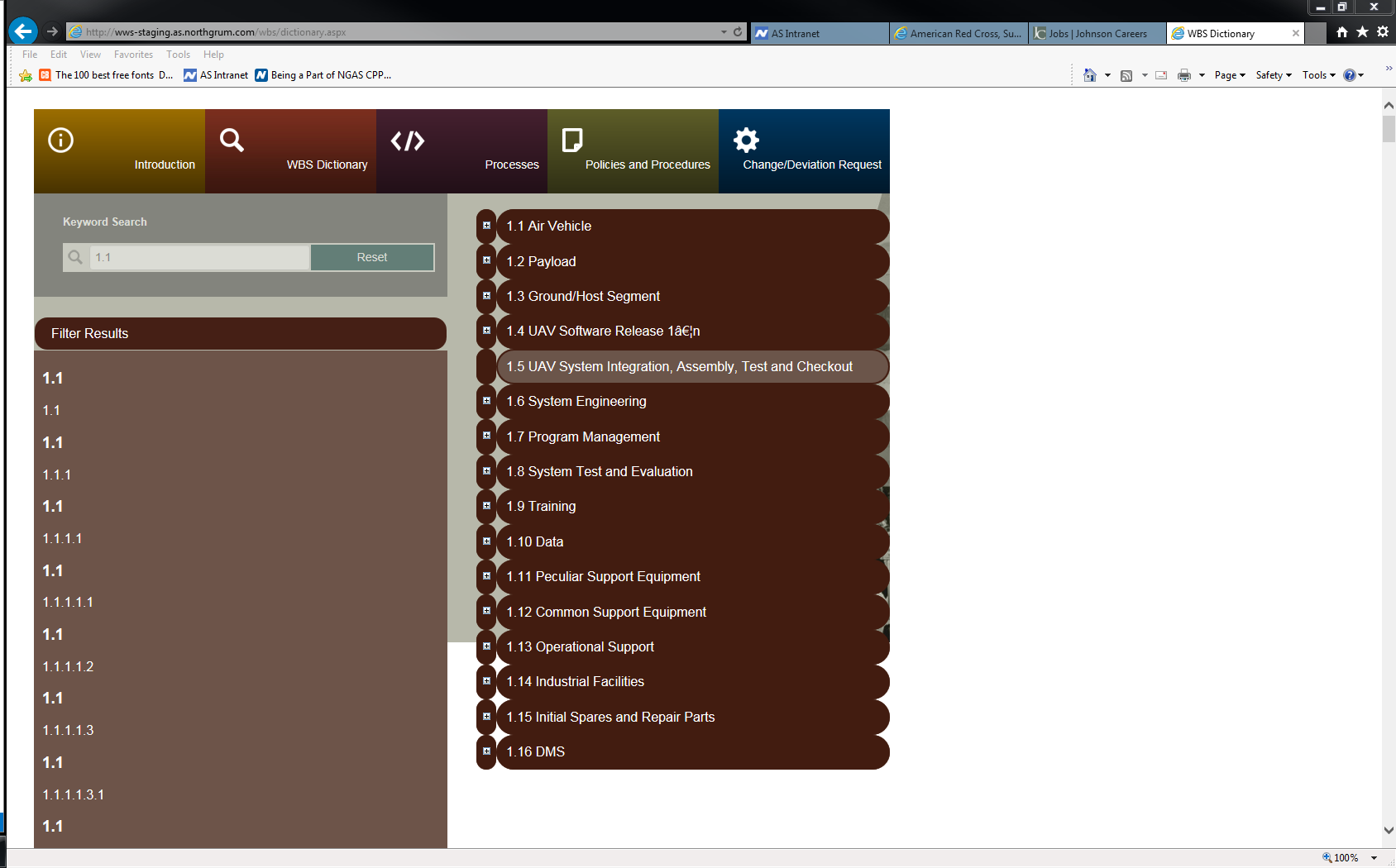
  • Reduced reloads: AJAX-style updates for smoother transitions and faster workflows.
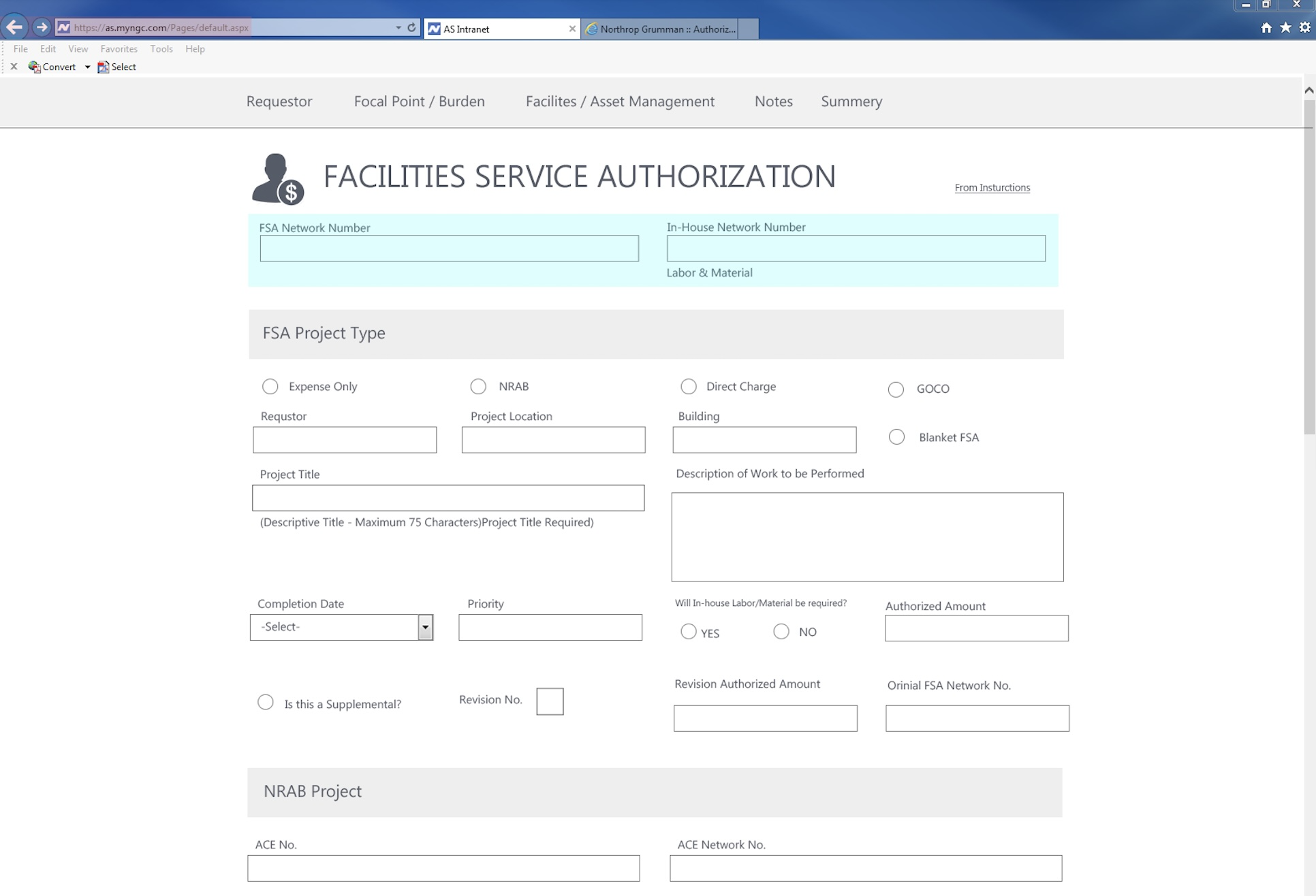
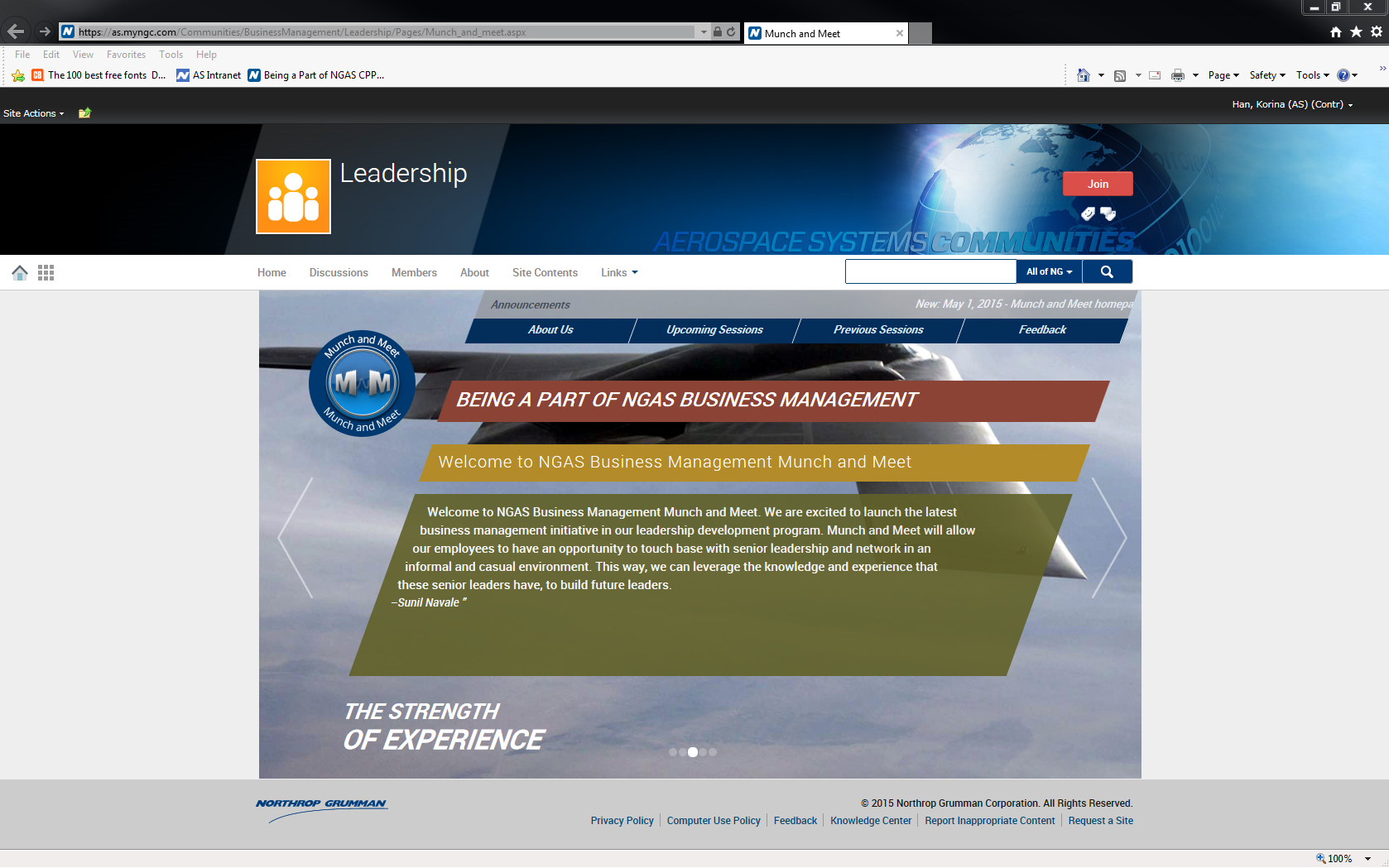
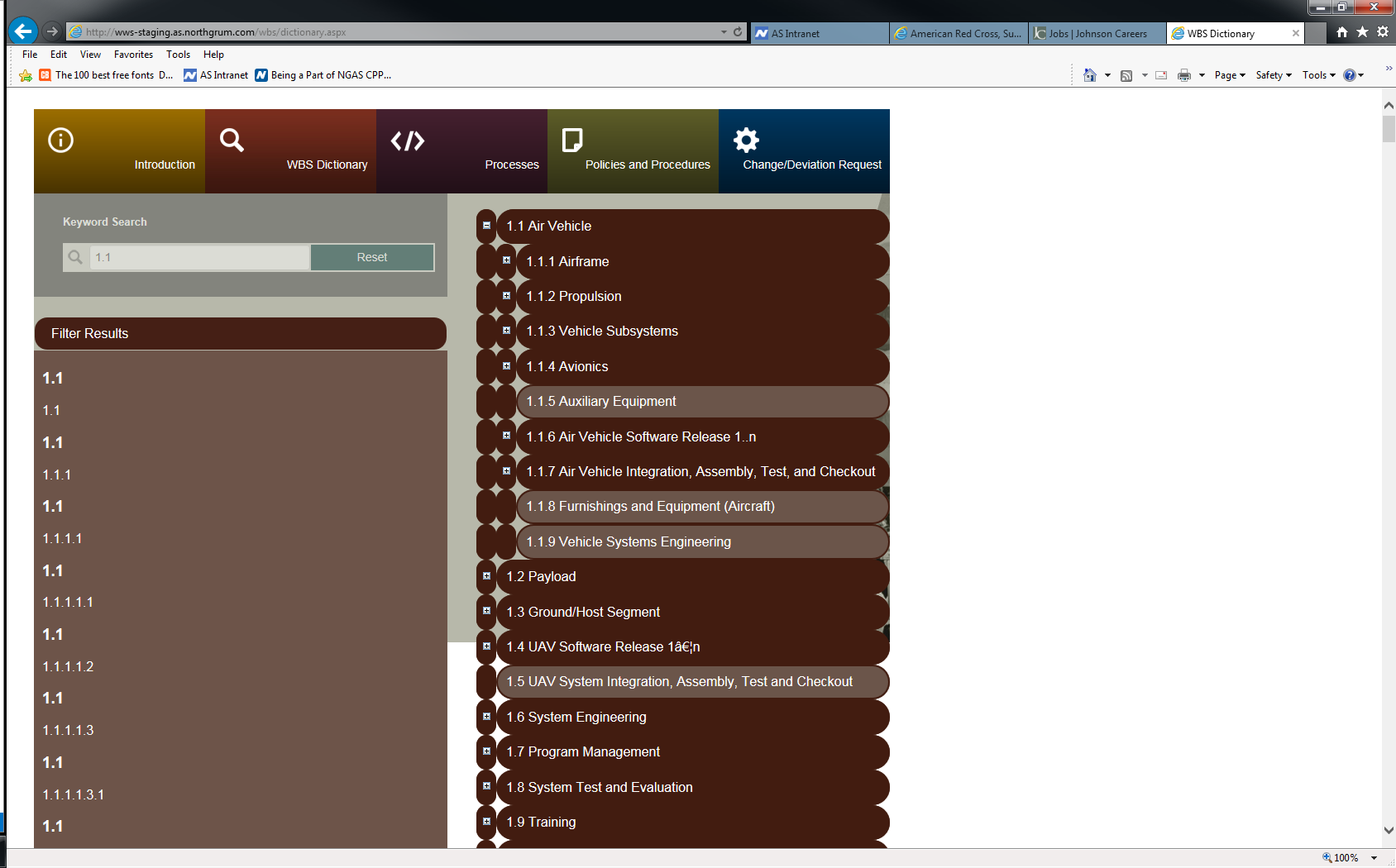
  • Reusable UI standards: component guidelines for forms, tables, alerts, and layout structure.
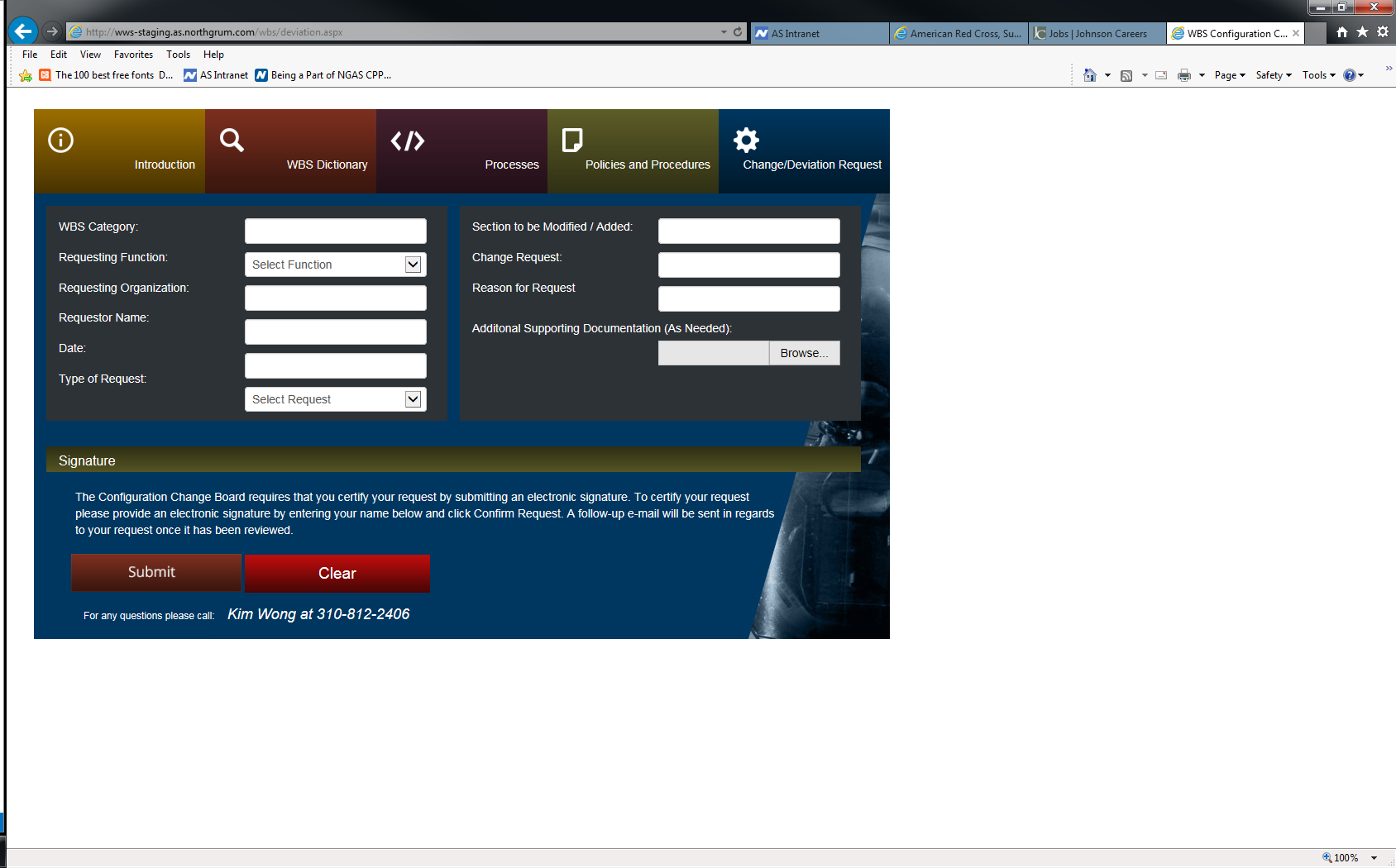
  • Usability + error reduction: real-time validation and clearer form feedback.
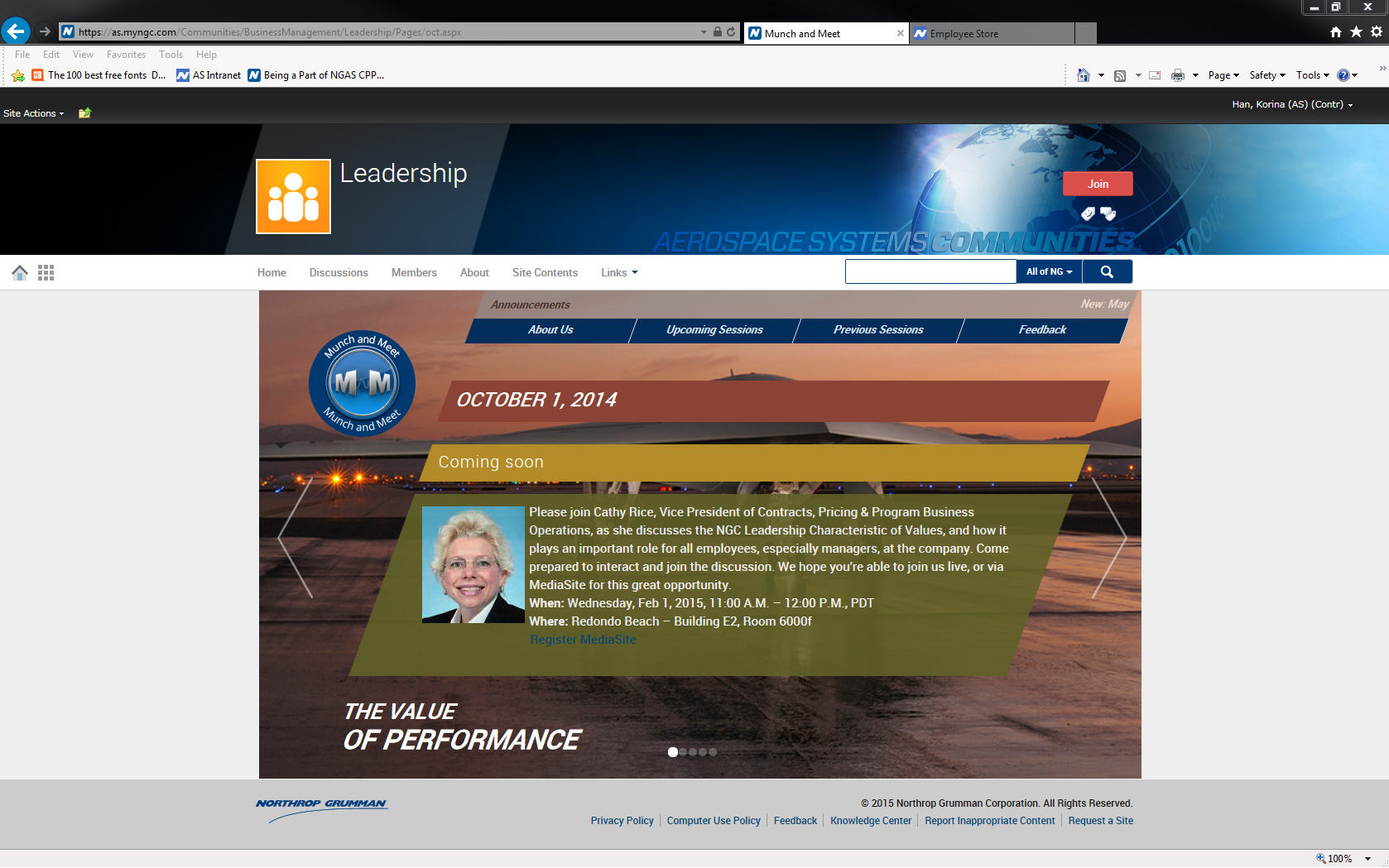
  • Accessibility improvements: contrast/readability upgrades and dark mode approach.
Maunch Meet 1
Maunch Meet 2
Maunch Meet 3


Outcome: improved discoverability, reduced task friction, and increased usability while staying within legacy + security constraints (internal).

Feature Before After
Navigation Cluttered, hard to find key sections Simplified sidebar & quick links
Page Load Behavior Slow, required full reloads Faster with AJAX updates
Forms & Inputs Standard fields, no feedback Floating labels, real-time validation
Data Management Basic tables, no sorting/filtering Interactive, sortable tables
Accessibility No dark mode, poor contrast Dark mode, improved readability
Search Dictionary 1
Search Dictionary 2
Search Dictionary 3
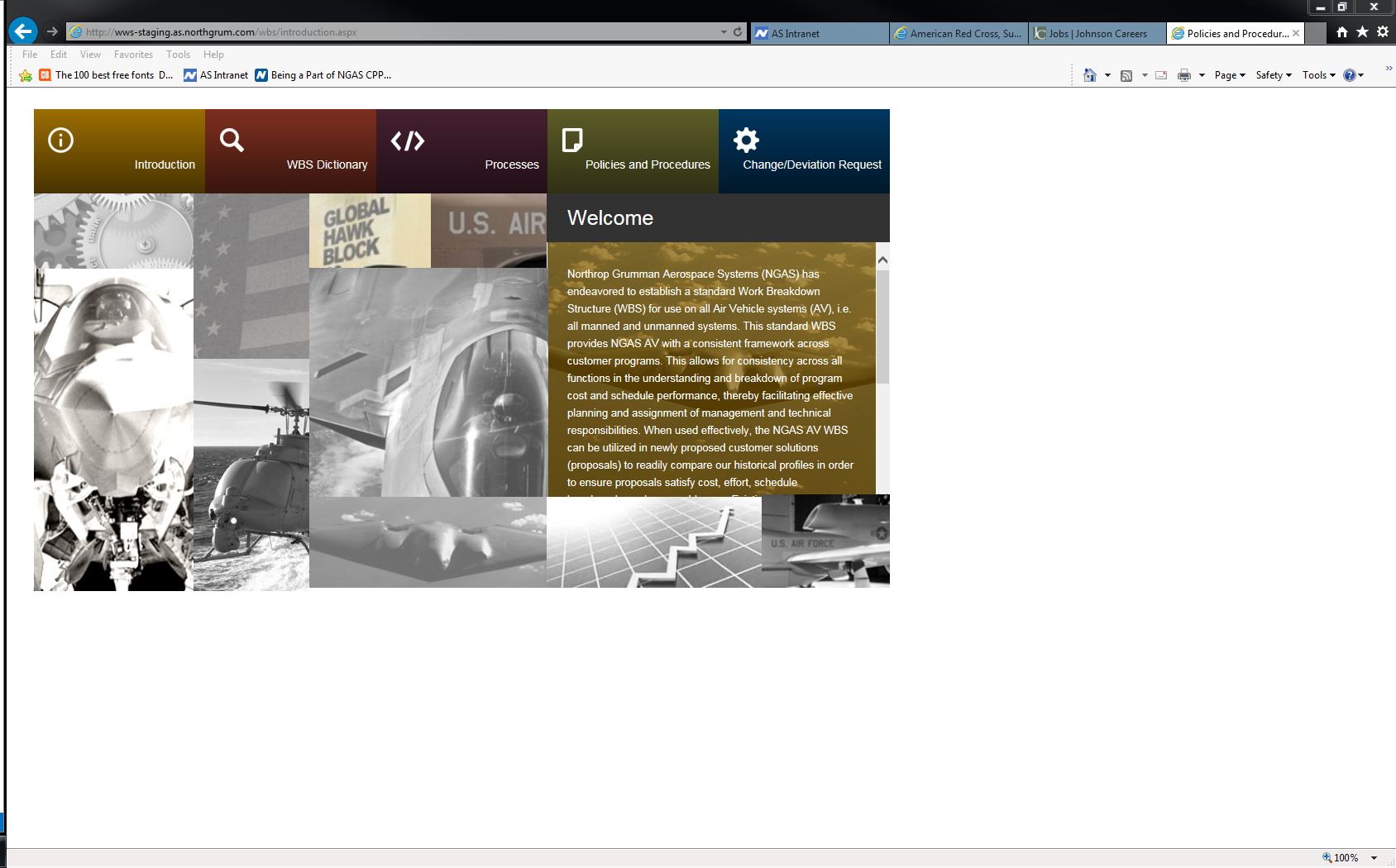
Search Dictionary 4
Search Dictionary 1
Search Dictionary 2
Search Dictionary 3
Search Dictionary 4


In regulated enterprises, design is not about aesthetics—it’s about accelerating workflows within constraints. The challenge is improving speed and clarity without breaking security, governance, or system integrity.

Case Studies

Case Studies

image
Enterprise BI Dashboard Modernization

DIRECTV

(Decision Support)

Case Study
image
Decision System Modernization

AT&T

(Foundation for AI-Assisted Workflows)

Case Study
image
End to End

AT&T's Data Quality

Dashboard Redesign

Case Study
image
AI Interaction Architecture for Enterprise Decision Workflows

Ask AT&T

Decision Intelligence Layer

Case Study
image
Enterprise Case Studiespace Standardization

Northrop Grumman

(SharePoint Under Constraint)

Case Study
image
Responsive Prototype Factory

SADA Systems

(Bootstrap + UI Components)

Case Study
image
Creative Direction

GuideStudio

(Brand + Web + Print)

Case Study

get in touch

Contact Me

Let"s Jump In!